Galileo, onto the right account
A MIR file names the airline. The draft opens on the Emirates account, separate from low-cost tickets that come in through a website retrieve.

Emirates accounting integration
An Emirates ticket issued in the GDS should reach the books with the passenger, the sector and the fare still attached. SYSTACC reads the Galileo or Amadeus file and drafts the flight invoice. You still decide what gets posted.
Overview
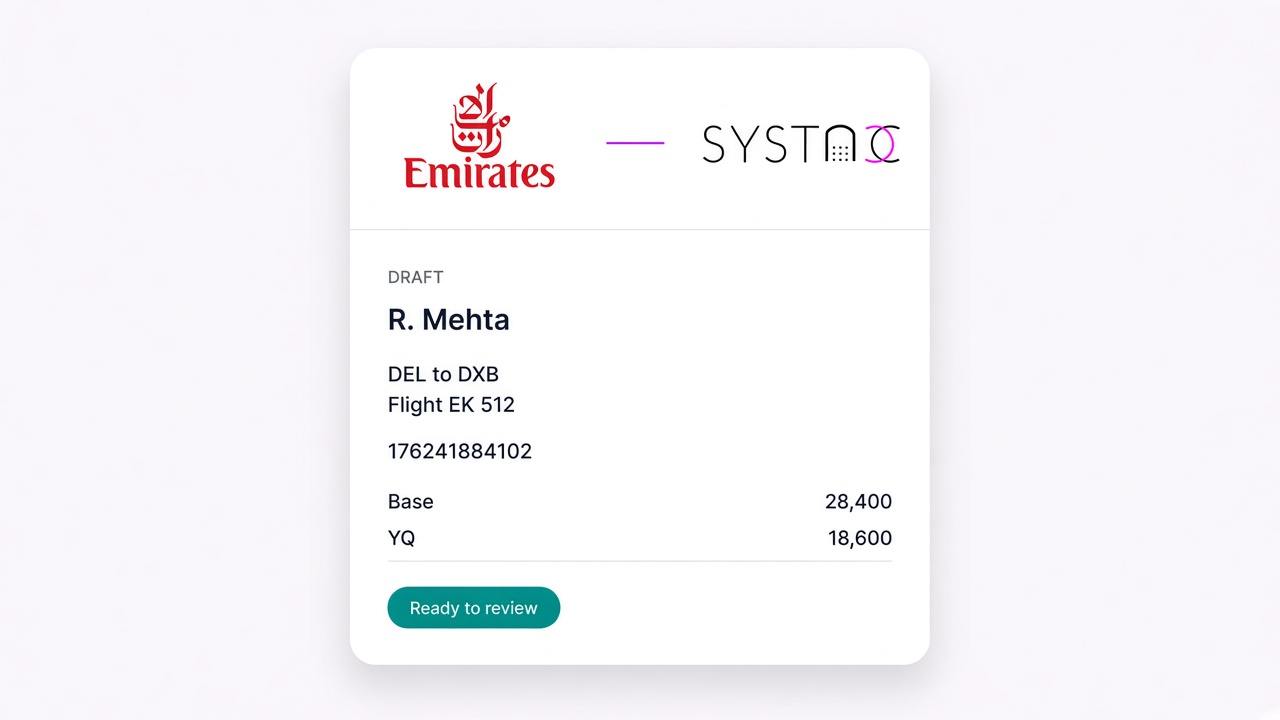
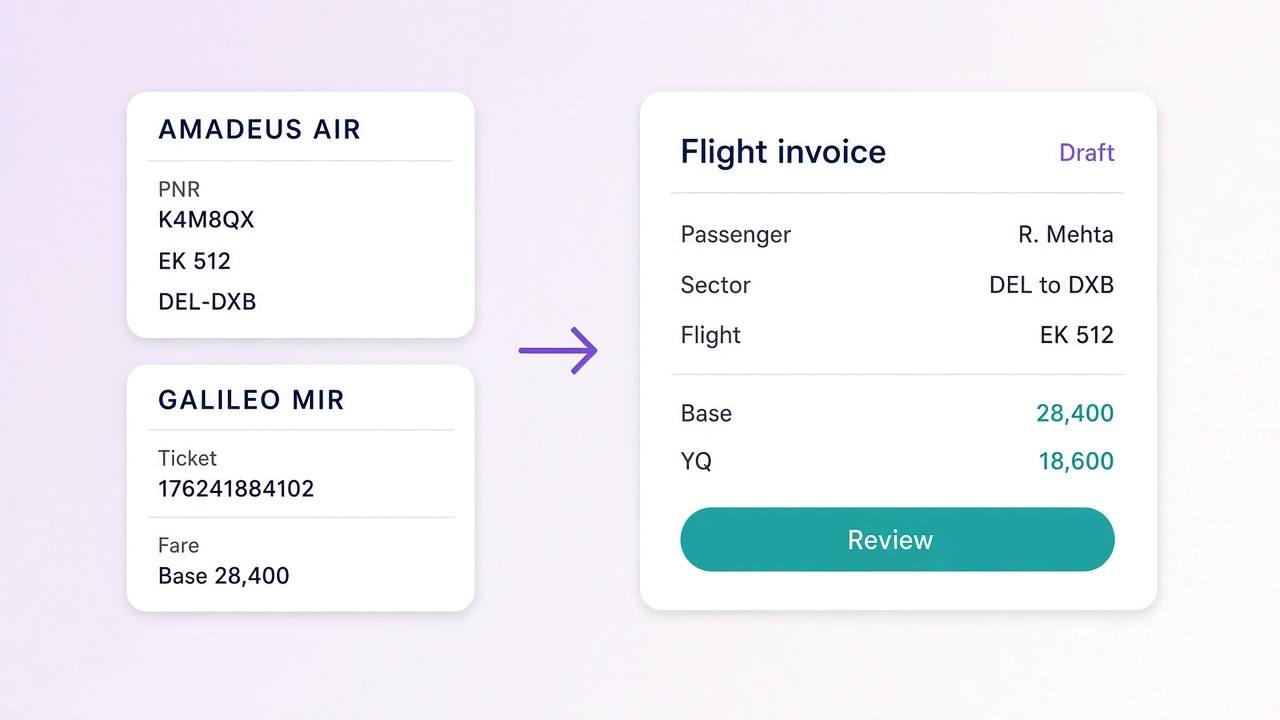
Emirates is a BSP carrier. A ticket issued in Galileo arrives as a MIR file, and that file names the airline account. SYSTACC opens a draft on the Emirates account, with the passenger, the sectors and the ticket number already filled.
A ticket issued in Amadeus arrives as an AIR file. The draft keeps the GDS PNR, the airline PNR, the EK flight number, class, times, terminals, check-in baggage and each ticket number. Confirm the Emirates account on that draft before you save. A ticket already on the books is not drafted again.
The fare comes in as base fare and the tax lines the file contains, including YQ, YR and K3 when they are on the ticket. SYSTACC then applies your commission setup. Nothing posts until you save.
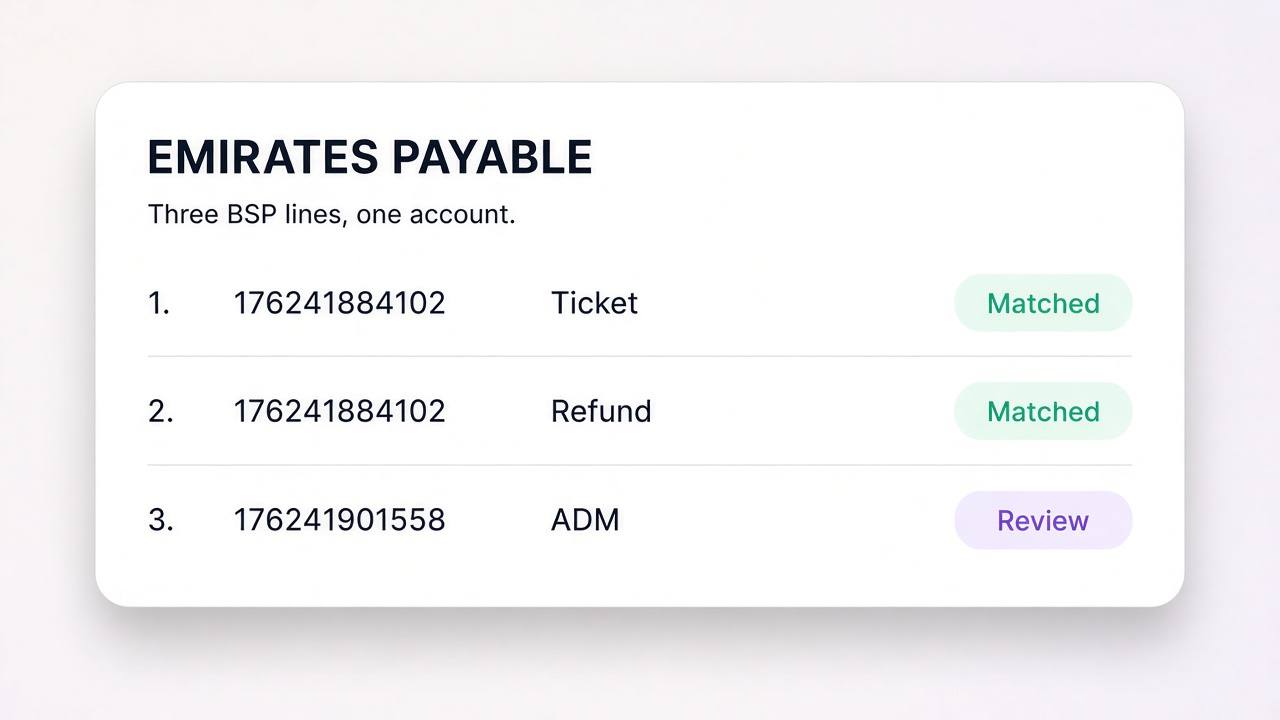
A later refund is a credit note against that invoice. When you upload the IATA BSP file, tickets, refunds and memos are compared with those documents, and only the lines that do not match stay open.
Benefits
A MIR file names the airline. The draft opens on the Emirates account, separate from low-cost tickets that come in through a website retrieve.
Passengers, the EK flight, class, times, terminals, baggage and each ticket number land together.
Base fare and the tax lines on the file, including YQ, YR and K3 when the ticket carries them, are filled in. Commission follows your setup.
Upload the IATA BSP file. Tickets, refunds, ADMs and ACMs are lined up against the books, and a mismatch stays visible.
How it works
The ticket is issued in Galileo or Amadeus. The interface file carries the PNR, the sectors, the travellers and the fare.
SYSTACC reads the file. A Galileo file opens on the Emirates account. On an Amadeus file, confirm that account. A ticket already saved is skipped.
Check names, the EK flight, ticket numbers and the tax lines. Your commission setup is applied on the draft.
Save the customer invoice and the Emirates payable. Upload the BSP file and review the lines that do not agree.
Built with SYSTACC
Read a Galileo MIR into a draft flight invoice on the Emirates account named in the file.
Read an Amadeus AIR file for the PNR, the EK flight, the ticket number and the fare, then confirm the account.
Keep class, times, terminals, check-in baggage and every ticket number on the draft.
Post the sale to the Emirates account on your chart, as a BSP invoice.
Compare the IATA BSP file with invoices, credit notes and memos already in the books.
Raise a credit note against the original invoice, and record an ADM or ACM against the ticket it adjusts.
FAQs
Yes. Emirates tickets issued in Galileo or Amadeus come in from the GDS interface file. The draft carries the passenger, sectors, ticket number and fare, and you review it before you post.
No. Emirates is handled as a BSP carrier. The ticket reaches the books from a Galileo MIR or an Amadeus AIR file, not from an airline website retrieve.
The GDS PNR, the airline PNR, each sector with the EK flight number, class, times, terminals and check-in baggage, and each traveller with a ticket number. The fare includes base fare and the tax lines the file contains.
When the file includes them, YQ, YR and K3 land on the draft with the base fare. You review the fare, then save. GST reports use the invoice you posted.
On a Galileo file, the airline account comes from the file. On an Amadeus file, confirm the Emirates account on the draft before you save. The payable then sits on that account.
A refund is a credit note against the invoice you posted. You record an ADM or ACM against the ticket number. The BSP file is then compared with those documents, and a mismatch stays open for review.
Yes. The payable sits on the Emirates account. Airline reports, including PSR, read that account separately from other carriers.
Related pages
Retrieve an IndiGo PNR into a SYSTACC flight invoice. Passengers, sectors, flight numbers and fare land on the draft, and you review before you post.
View page →Air India tickets from Galileo and Amadeus become SYSTACC draft invoices. Review passengers, sectors and fare, then match tickets and refunds to BSP.
View page →Retrieve a SpiceJet PNR into a SYSTACC flight invoice. Passengers, sectors, baggage and fare land on the draft, and you review before you post.
View page →A live walkthrough
Thirty minutes on the calendar. We follow a booking through to the books, and you choose the time.